Cosmos Through the Lens: An Introduction to Astrophotography — April 25, 2026
Diskarte Astro-Simulator
Interactive Exposure & Post-Processing Suite for Beginners
1. The Exposure Simulator
Challenge: Find the "Excellent Exposure" status by balancing the sliders. Watch out for Earth's rotation!
2. Post-Processing Practice
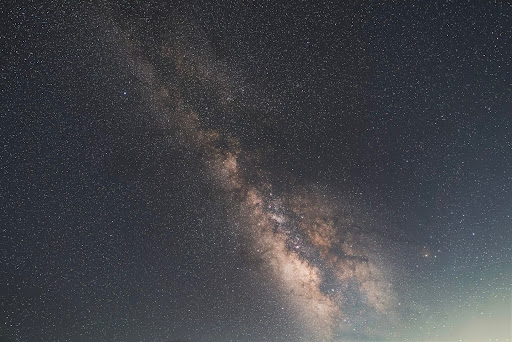
Drag the sliders to edit this Milky Way shot. Practice balancing Exposure and Vibrance.
The "Diskarte" Masterclass Guide
1. Hardware Reality & Selection
Phones: Best place to start
Phone sensors are small and have limited low-light performance, so the easiest way to improve results is to shoot in RAW and combine multiple frames to reduce noise.
DSLRs and Mirrorless: More control, better low-light results
DSLR and mirrorless cameras usually perform much better in low light, especially around ISO 3200–6400, but battery life drops fast in cold conditions and a remote shutter can help reduce shake.
Simple setup tips
- Zero-Vibration: Use wired earphone volume buttons as a remote shutter.
- Manual Focus: Zoom in 10x on a star; adjust until it's the smallest dot possible.
- To reduce lens fogging, you can wrap a chemical hand warmer around the lens barrel.
2. Planning & Weather
What to check before shooting
- Check cloud cover first using Clear Outside, because even thin cloud can ruin Milky Way visibility.
- If you’re in the Philippines, compare forecasts with PAGASA satellite imagery for a more local weather check.
- Use LightPollutionMap.info to look for darker sites, ideally around Bortle 4 or lower if travel is possible.
- Aim for nights with a low moon, ideally below 20 percent illumination or after moonset.
Apps and field prep
- Stellarium / Star Walk 2: Virtual sky to see where the Milky Way rises.
- Bring a red light or red headlamp so you can see your gear without ruining your night vision.
- For longer sessions, bring extra power and warm layers since you’ll usually be standing still for a while.
3. Capture & Free RAW Apps
Android apps I’d recommend
- DeepSkyCamera: DeepSkyCamera is one of the better free Android options for astro because it supports RAW/DNG capture and includes an intervalometer.
- ProCam X Lite: ProCam X Lite is useful if you want manual control over ISO, shutter speed, and focus.
Useful free iPhone options
- AstroShader: AstroShader is a strong free iPhone option because it includes manual controls, interval shooting, and even live stacking.
- Lightroom Mobile: Lightroom Mobile is also useful for single RAW exposures if you want a familiar editing workflow on your phone.
The 500 Rule Equation
4. Post-Processing Stack
Stacking tools for cleaner images
- Siril (Windows/macOS/Linux): Siril is one of the most capable free tools for stacking and color calibration.
- Sequator (Windows): Sequator is often the easiest stacking tool for beginners to start with.
- DeepSkyStacker (DSS): DeepSkyStacker is still a widely used option for deep-sky image stacking.
Editing for cleaner color and contrast
- If city glow is too orange, try lowering white balance to around 3200K and adjust from there.
- You can also lower orange luminance in HSL controls to reduce the visibility of light pollution.
- Increase vibrance before saturation if you want stronger color without pushing the stars too far.
- Darktable: Free, professional open-source alternative to Lightroom.
10-minute beginner challenge
"You do not need an expensive camera to start astrophotography. For this activity, I want to show you how far you can go using free apps and the gear you already have."